Cost Center Assignment
Request additional Cost Centers
You can request for items to be added to additional cost centers for cost center-based CDM files.
In the CDM tab:
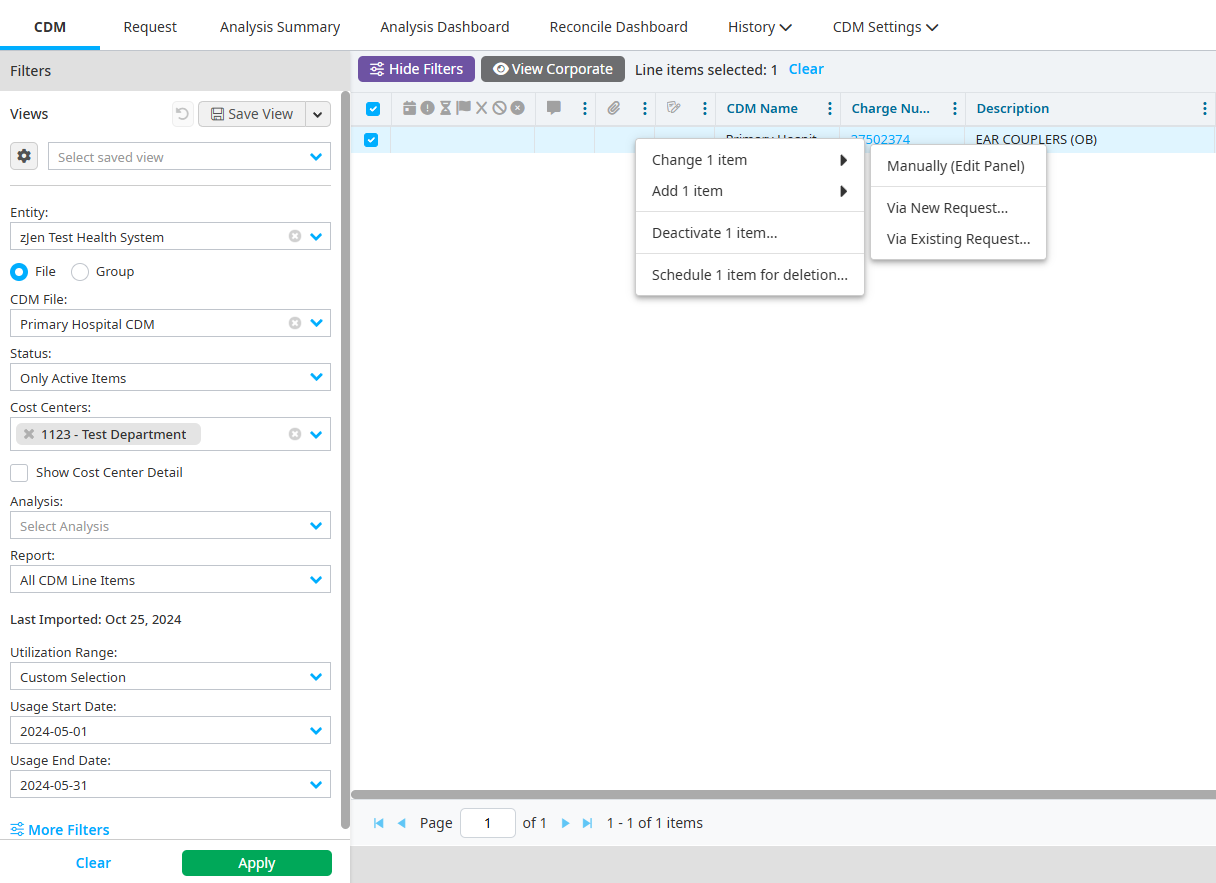
Right-click an item.
Select Change 1 item > Manually (Edit Panel).
Select the Cost Centers tab on the Details pane.
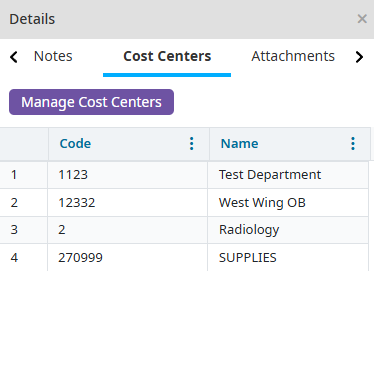
Click Manage Cost Centers.
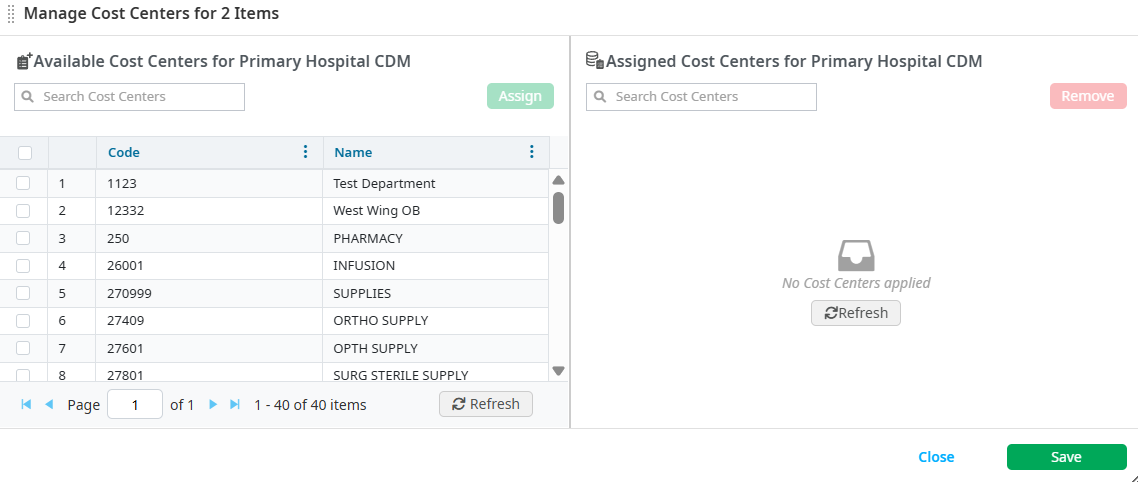
Double-click the cost centers that the item should be assigned to, or select multiple cost centers.
Click Assign.
Click Save to return to the request form. Items are available for use in the cost centers once the request is approved.
Assigning a cost center to multiple items in a request
Multiple line items can be selected for cost center assignment additions at once.
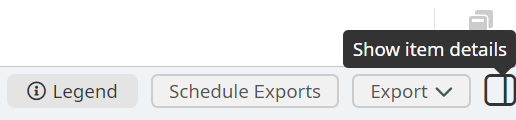
Select the Show item details icon to open the Detail pane.
Select the Cost Centers tab on the Detail pane.
Select more than one line item. The Add Cost Centers and Remove Cost Centers buttons appear.
Click the Add Cost Centers button to open a list of the available cost centers.

Double-click the cost centers that the items should be assigned to. Selecting to add a cost center adds it to any of the selected lines where that particular cost center was not previously applied.
Click Save.
Viewing change indicators on the Line Item pane
The color coding on the Line Item pane allows you to identify if a cost center was added or removed during the request process. The following are indicators:
- A row highlighted green with Add under the Action column indicates that the cost center was added to the record.
- A row in red font with Remove under the Action column indicates that the cost center was removed from the record.
- A row that is not highlighted and is in black font indicates that the cost center was untouched.