Troubleshooting
There are several options for fixing a blank (white) dashboard screen when you attempt to sign into Vitalware. If you run into this problem and have not recently restarted your computer, you should do so.
For other troubleshooting options, follow the instructions below according to your browser type:
Microsoft Edge browser reset
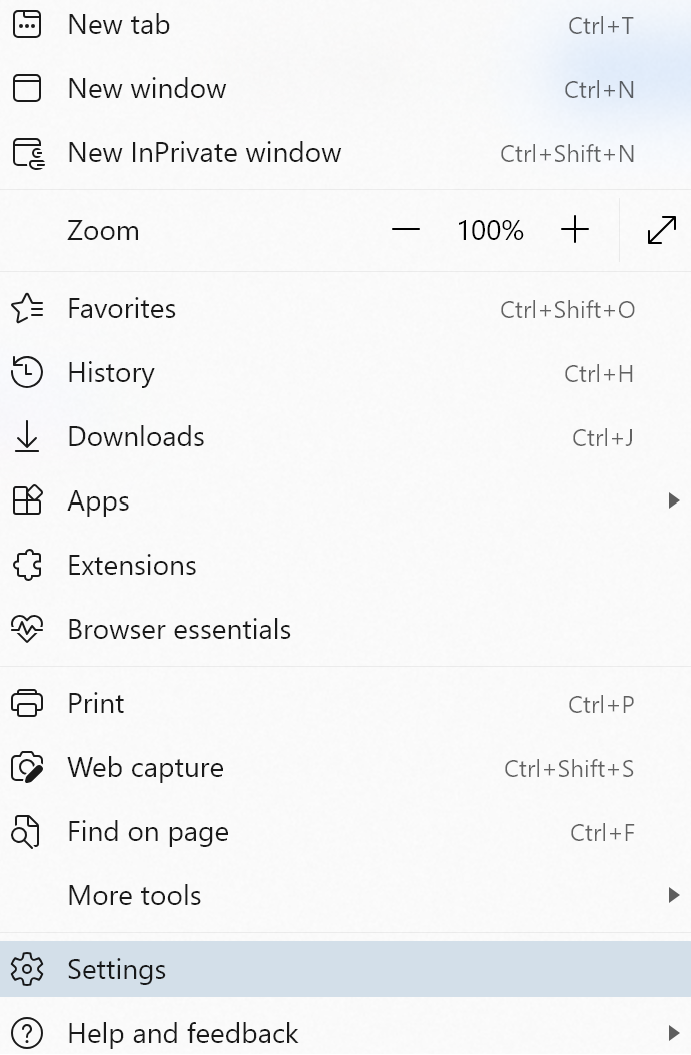
Select the Setttings and More icon in the top right corner of the browser
Select Settings from the dropdown.
Click Reset settings in the Settings pane.
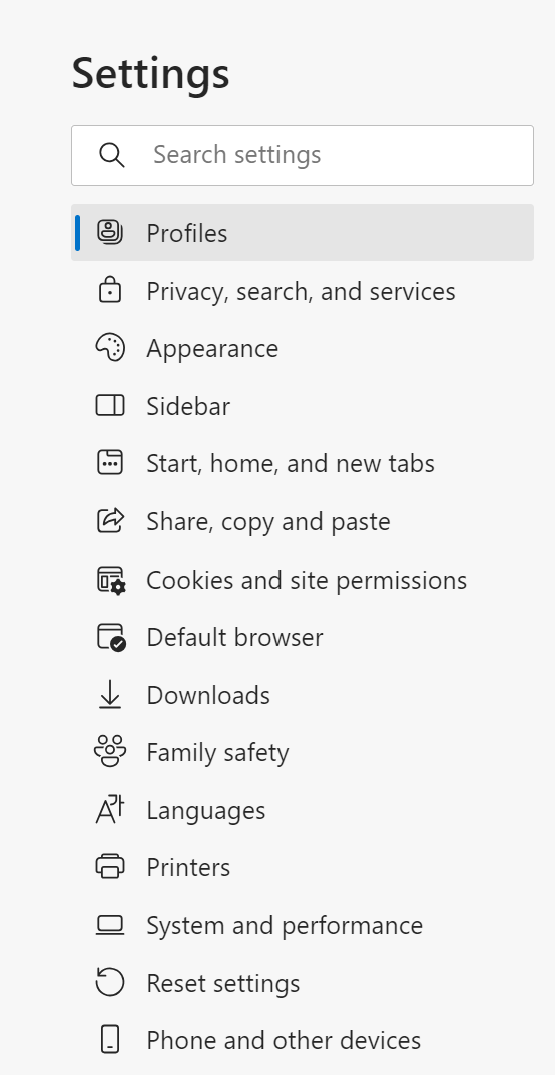
Close and reopen Microsoft Edge .
Google Chrome browser cache clear
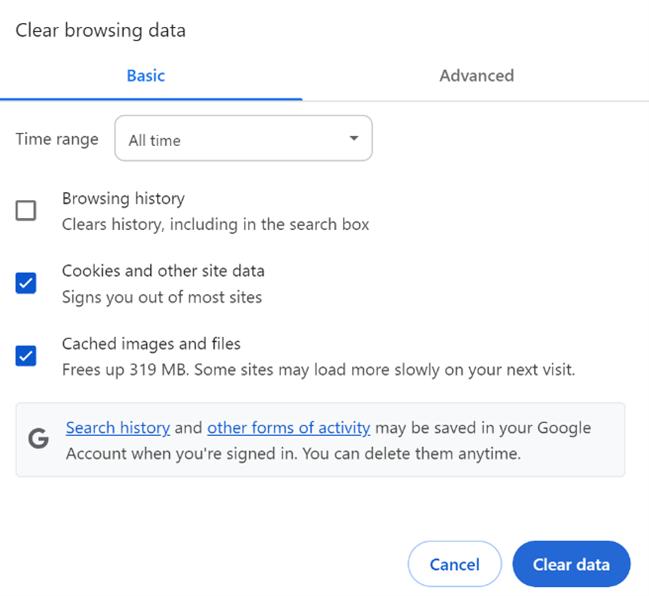
Press Ctrl + Shift + Delete while in Chrome.
Select All time from the Time range dropdown.
Check each of the following:
- Cookies and other site data
- Cached images and files
Select Clear data.
Mozilla Firefox browser cache clear
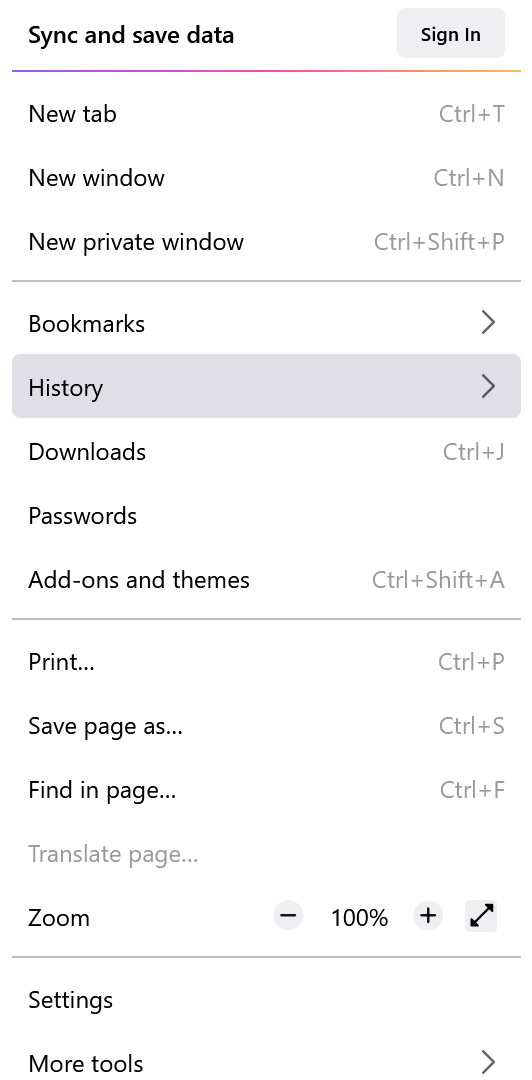
Select the Open application menu icon in the top right corner of the browser.
Select History > Clear recent history.
Select Everything in the Time range to clear dropdown.
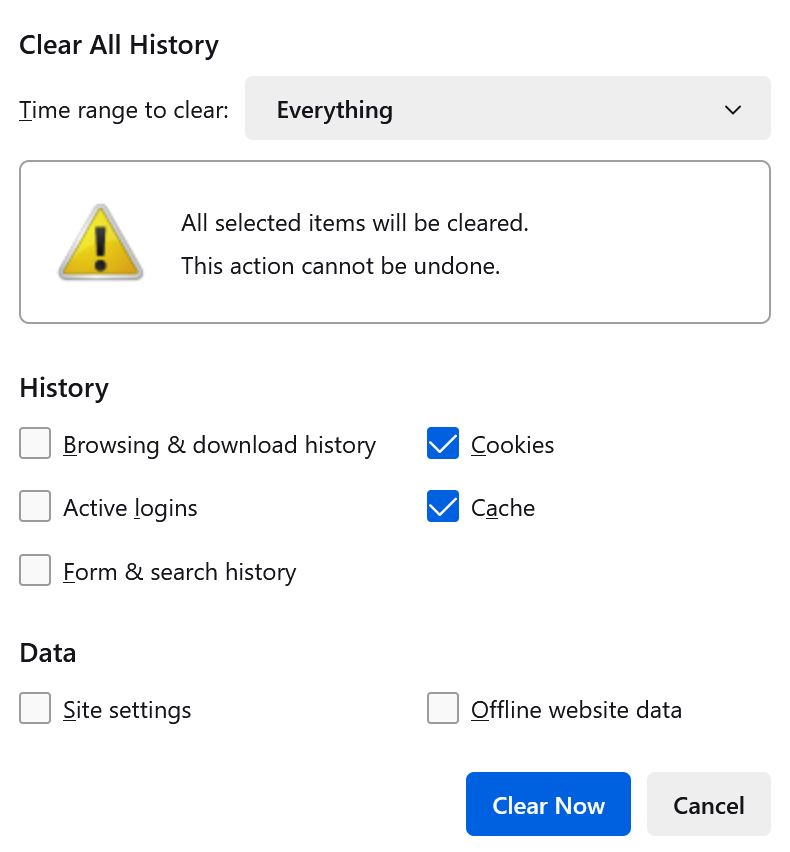
Check Cookies and Cache.
Click Clear Now.
Chrome, Edge, or Firefox hard reload
A hard reload clears your browser's cache and forces it to load the newest data. Use one of the following commands below for your operating system type:
- Windows: Ctrl + Shift + R
- Macintosh: command + shift + R
Commands with plus signs indicate you should hold down each key as you press the additional keys.
Restart your device
Turn your device off and on. This option often resolves local technical issues.
Check your VPN connection
If possible, determine if the issue persists outside of your organization's Virtual Private Network (VPN) by doing one of the following:
- Disconnect your device from your VPN and signing in to the Vitalware product
- Access an alternate device that is not connected to your VPN and sign in to the Vitalware product
If the issue only exists when using a VPN connection, you may need to contact your organization's IT department.