Viewing Case Details
Detailed information about specific cases can be viewed on the Case Details table. You can open the table with tabs for up to ten cases at a time.
Do one of the following to view the case details from your Case Results table:
- Double click a single case row.
- Select one or more checkboxes, then click the View selected details icon.
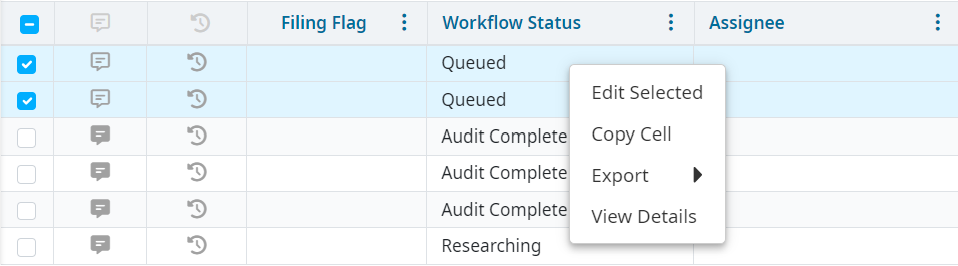
- Select one or more checkboxes, then right click one of the selected rows.
- Right click a selected row, then select View Details from the list.
The Case Details table
Note
Features available vary slightly depending on the type of claim data provided by your organization. Contact your Vitalware consultant if you have questions.
Each account or claim you select appears as an Account ID or Claim ID tab at the top of the Case Details table. The associated cases for each account or claim are in the Account Cases section.
Patient demographic information is displayed across the top of each tab. Itemized Billing (IB) interface users can expand or collapse additional demographic information by clicking See More at the bottom of the Patient Details tab.
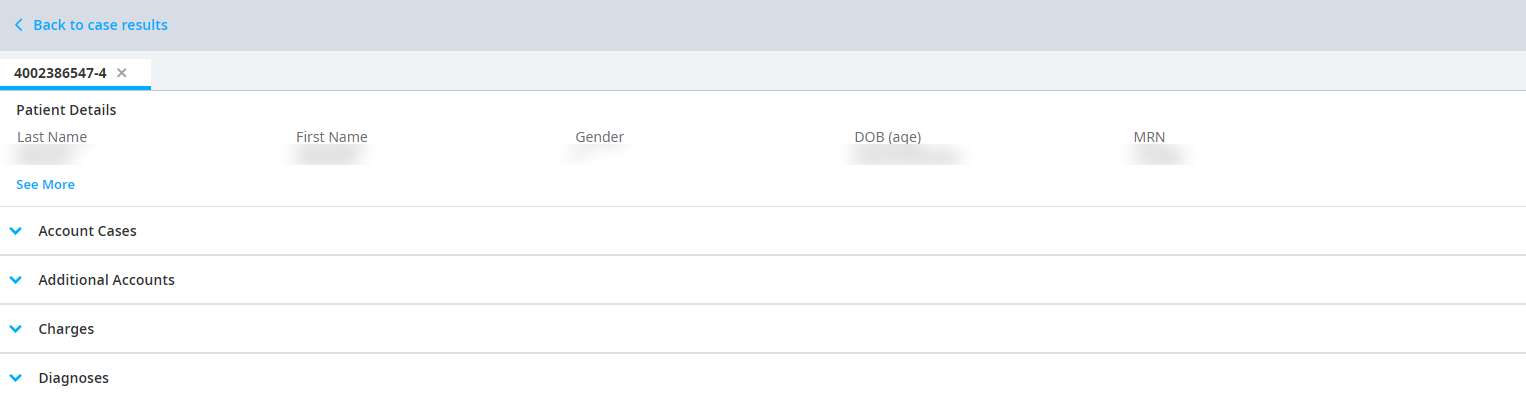
The sections of the Case Details table can be expanded or collapsed by clicking the title of the section or the caret icon next to the section title.
| Account Cases | All cases that share an account ID. The number of cases you select are displayed in the action bar. When you select cases, a Clear button and pencil icon appear in the action bar to deselect or edit cases.  |
| Additional Accounts | All account or claim IDs that share the same MRN as the tab account or claim ID. Click on a linked account or claim ID in this section to open a new tab for that account. |
| Charges | CPT®/HCPCS codes added from the charging system. Use the action bar to navigate between pages and update charges per page.  |
| ICD Diagnoses | Diagnosis codes on the account. |
| ICD Procedure | Procedure codes on the account. |
| HIM | Codes that were added by the coding department (soft coded). |
| OPPS Calc Results | Outpatient Prospective Payment System (OPPS) calculation results and encounter messages. This section only displays if an Admin has activated the appropriate system settings and if you have selected outpatient Medicare cases for viewing. |