Navigate the Dashboard
The homepage Dashboard displays when you sign in to Vitalware. It provides an entryway to your product and includes other helpful information and tools.
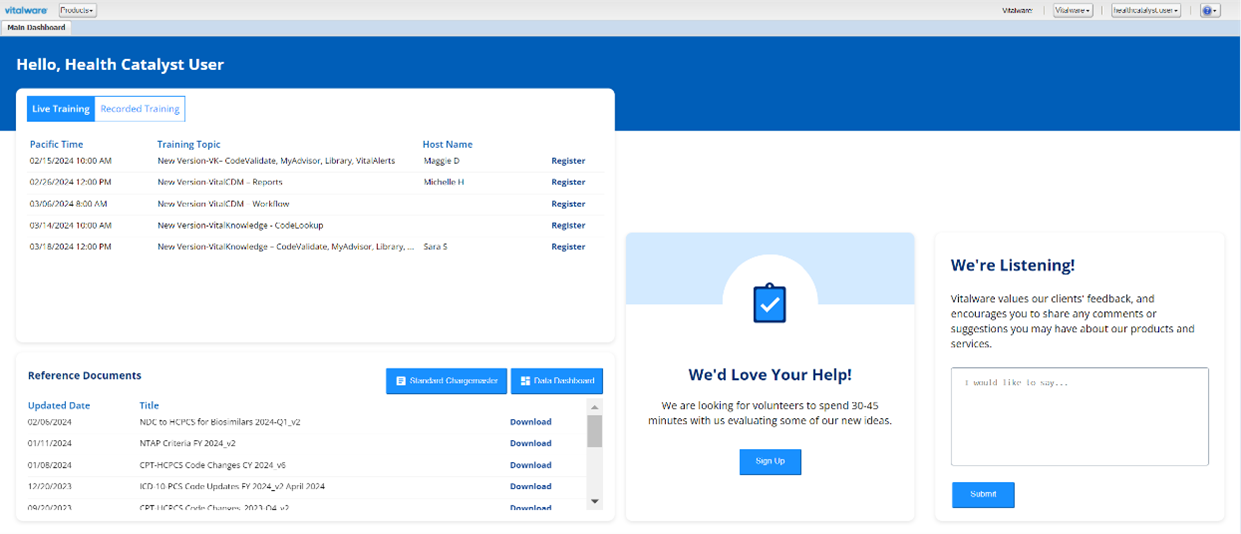
The Vitalware application Dashboard tab
The Dashboard is also the main tab in the VitalKnowledge application. The Dashboard tab is divided into three main sections: header, training, and resources.
Header
The header features a welcome for users and the current date. There is also a Help Us Improve button that allows you to submit feedback and requests.

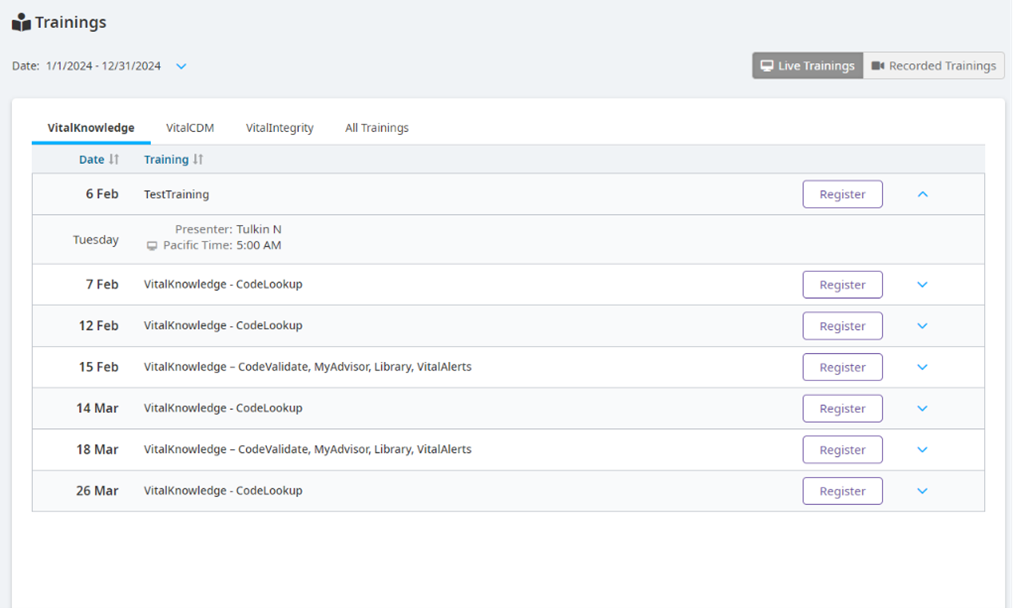
Trainings
You can access live and recorded Vitalware trainings, and you can register for upcoming trainings under the Trainings section. Live trainings expand to show the date, presenter, and time of the training. Recorded trainings expand to show the presenter and the duration of the training.
Resources
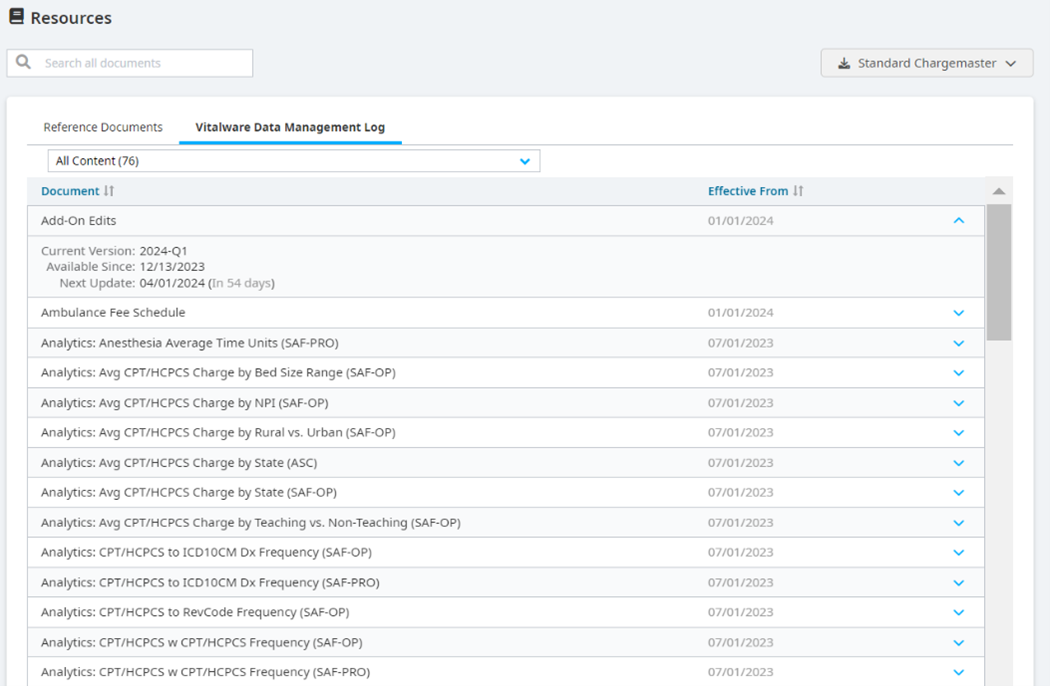
The Resources section allows you to search for reference documents and Vitalware data management logs. You also have the option to download the standard chargemaster.
Reference Documents - Displays documents with their titles and dates, and it features a download option.
Vitalware Data Management Log - Displays a filterable list of data entries and expands to show each entry's version, how long it's been available, and its next update.