Results Table Tabs
The tabs that populate content at the top of the Results table will vary, depending on the data set searched. Results are in a column and row format, much like Microsoft Excel.
Term Results tab
Term Results is the default tab for all search results. It contains columns of information that can be customized.

Adding items to a new VitalCDM request
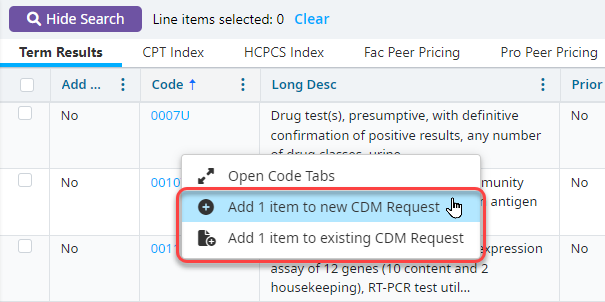
If you are searching CPT/HCPCS, ICD-10 CM, ICD-10 PCS, or Revenue Codes, you can add an item to a new request in VitalCDM from the Term Results tab.
Right-click the items you want to change.
Select Add (x) item to new CDM Request.
Select your Entity, CDM File, and a Route, and then enter a Request Title.
Click Create.
Select whether you want to open the request. If you click Yes, the request will open in VitalCDM.
Adding items to an existing VitalCDM request
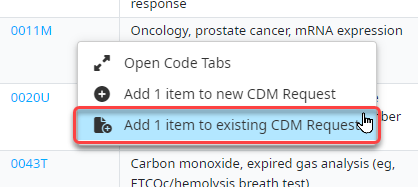
If you are searching CPT/HCPCS, ICD-10 CM, ICD-10 PCS, or Revenue Codes, you can add an item to an existing request in VitalCDM from the Term Results tab.
Right-click the items you want to add to a request.
Select Add (x) item to existing CDM Request.
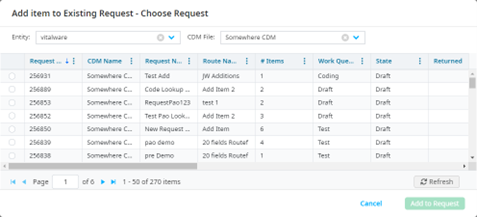
Select your Entity and CDM File, and then select the request you want to add this item to.
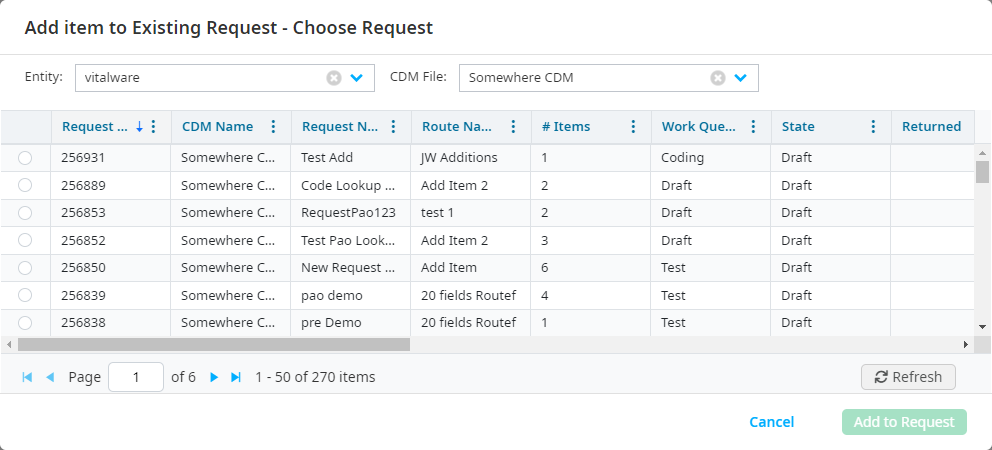
Click Add to Request.
Select whether you want to open the existing request. If you click Yes, the request will open in VitalCDM.
CPT® Index tab
The CPT Index tab populates when the CPT/HCPCS data set is searched. It displays the CPT Index book view of the term searched with an index type of layout.
Click the caret icon to expand and show related items.

HCPCS Index tab
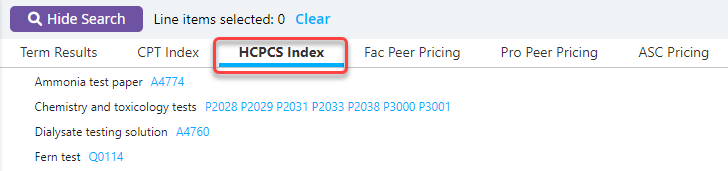
The HCPCS Index tab populates when the CPT/HCPCS data set is searched. It displays the HCPCS Index book view of the term searched with an index type of layout.
Click the caret icon to expand to show items related.
FAC Peer Pricing tab
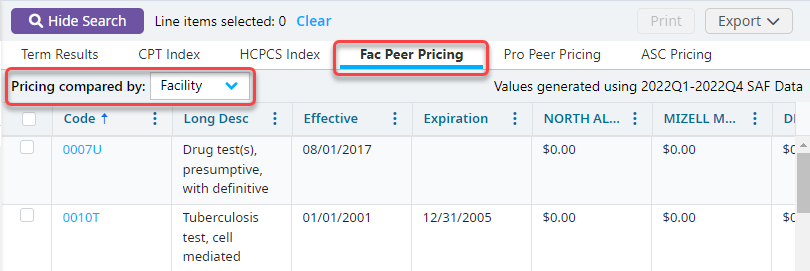
The FAC Peer Pricing tab is optional and populates when the CPT/HCPCS data set is searched.
- Average prices displayed are aggregated from the Outpatient Standard Analytical File (SAF) using the most recent four quarters of data available from CMS. By default, national charge percentiles by CPT/HCPCS code are displayed. The current SAF version is shown in the upper right hand corner for reference.
- Average charges may also be viewed by facility, Core Business Statistical Area (CBSA), or state.
PRO Peer Pricing tab
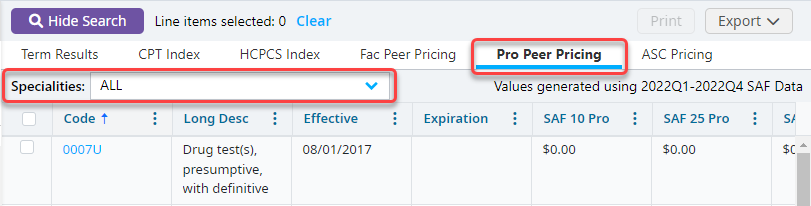
The Pro Peer Pricing tab is optional and populates when the CPT/HCPCS data set is searched.
- Average prices displayed are aggregated from the Carrier Standard Analytical File (SAF) using the most recent four quarters of data available from CMS. By default, national charge percentiles by CPT/HCPCS code are displayed. The current SAF version is shown in the upper right hand corner for reference.
- The results panel contains a Specialties drop-down to render prices for a particular specialty. By default, the results are a combination of all specialties.
ASC Pricing tab
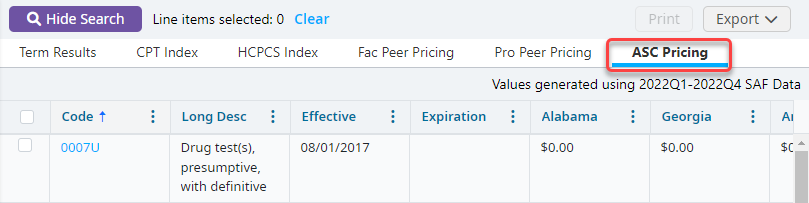
The ASC Pricing tab is optional and populates when the CPT/HCPCS data set is searched.
- Average prices displayed are aggregated from the Carrier Standard Analytical File (SAF) using the most recent four quarters of data available from CMS. By default, national charge percentiles by CPT/HCPCS code are displayed. The SAF version being utilized is reflected in the upper right hand corner for reference.
- The Ambulatory Surgery Center prices shown are an average amount per state. Up to 10 states may be selected by the account administrator.
ICD-10-CM Drug Table tab
The ICD-10-CM Drug Table tab populates when the ICD-10-CM data set is searched, when applicable. The tab displays the ICD-10 Drug Table in a table format
Click the caret icon to expand the term related codes

ICD-10-CM Dx Index tab
The ICD-10-CM Dx Index tab populates when the ICD-10-CM data set is searched. This tab searches the ICD-10 Diagnosis Alphabetic Index.
Click the caret icon to expand items related to the term.

ICD-10-CM Ext Cause Index tab
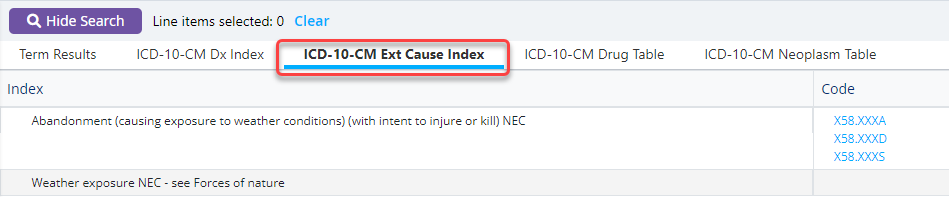
The ICD-10-CM Ext Cause Index tab populates when the ICD-10-CM data set is searched. It displays the search results of the ICD-10 External Cause Index.
Click the caret icon to expand items related to the term.
ICD-10-CM Neoplasm Table tab
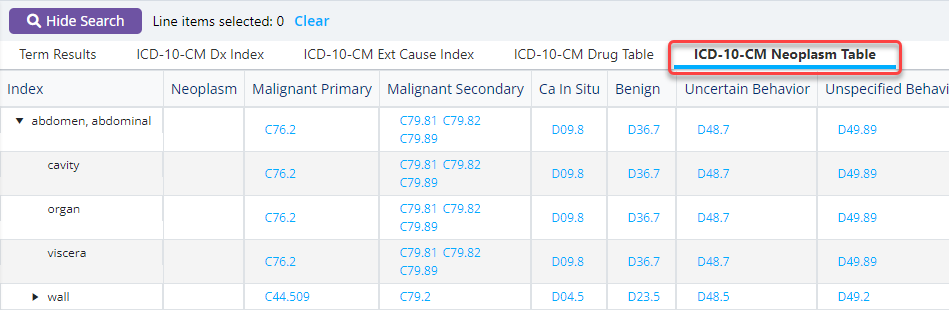
The ICD-10-CM Neoplasm Table tab populates when the ICD-10-CM data set is selected. It displays the search results of the ICD-10 Neoplasm Table shown in a table format.
Click the caret icon to expand items related to the term.
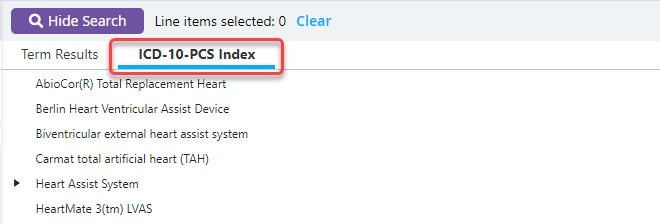
ICD-10-PCS Index tab
The ICD-10-PCS Index tab populates when the ICD-10-PCS data set is searched. It displays the search results from the ICD-10 Procedure Alphabetic Index.
Click the caret icon to expand related items.